The tool nobody teaches you, that everybody uses
If you have ever written code, or watched someone who does, you have probably seen the word Git. It is on GitHub, it is in tutorials, it is the thing senior developers tell you to “just learn.” And yet almost nobody explains what it actually is or why it matters before throwing commands at you.
So here is the plain version. Git is a tool that takes snapshots of your work over time, so you can always go back, try things safely, and work with other people without chaos. That is the whole idea. Everything else is detail.
It was built in 2005 by Linus Torvalds, the same person who created Linux, because he needed a better way to manage a project that thousands of people were editing at once. Today it sits quietly underneath almost all modern software. Once you understand what it does for you, you stop seeing it as a chore to memorise and start seeing it as a safety net you would never want to work without.
Let us walk through the moments where Git earns its keep.
1. It is a perfect undo button for your whole project
Normal undo (Ctrl+Z) is fragile. Close the file, and it is gone. Make fifty changes, realise change number three was the mistake, and good luck.
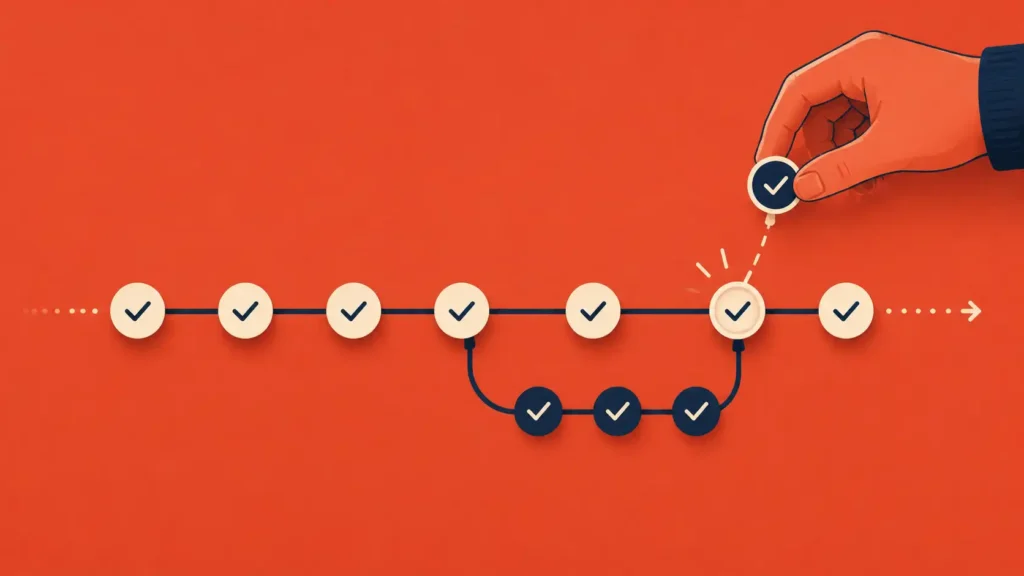
Git fixes this by letting you save named snapshots, called commits, whenever you reach a point worth keeping. “Working login page.” Snapshot. “Added search.” Snapshot. Each one is a save point you can return to at any time, even weeks later. Break something badly? Roll back to the last good snapshot and carry on. It is the undo button you always wished you had, for the entire project, forever.
2. It lets you experiment without fear
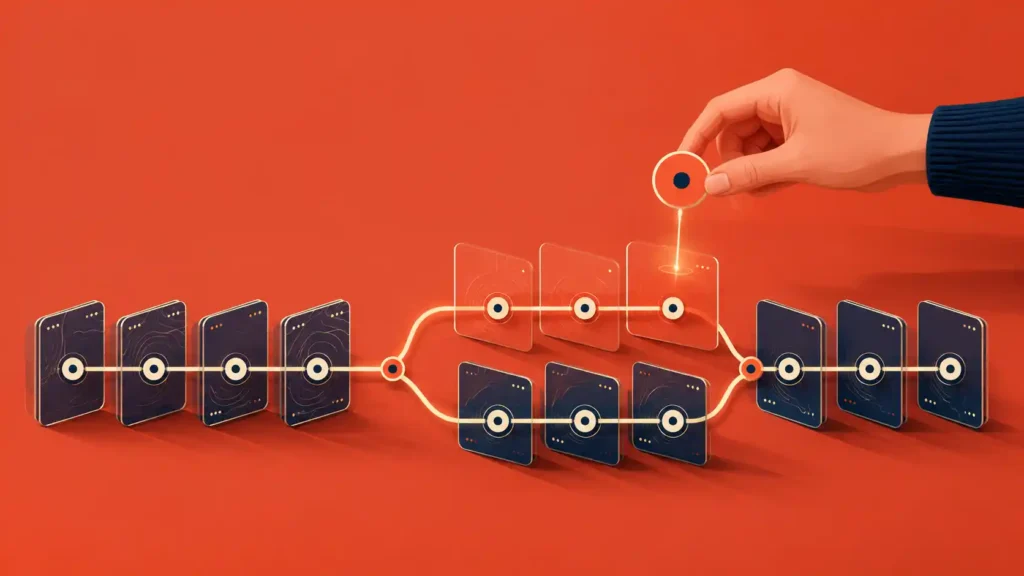
This is the one that changes how you work. In Git you can create a branch, which is a parallel copy of your project where you can try anything, a risky new feature, a wild idea, a big rewrite, without touching the version that currently works.
If the experiment works, you merge it back in. If it fails, you throw the branch away and your working version never knew it happened. That safety completely removes the fear of trying things. You are never one bad idea away from breaking everything, so you experiment more, and experimenting more is how you get better.
3. It lets people work together without overwriting each other
Picture two people editing the same document by emailing it back and forth. Someone always overwrites someone else’s work. Now picture thirty people on one project. Without a system, it is pure chaos.
Git is that system. Each person works on their own branch, and Git intelligently combines everyone’s changes, line by line, flagging the rare spot where two people edited the exact same thing so a human can decide. This is the single reason large software teams can function at all. It is also why open-source projects with thousands of contributors do not collapse into a mess.
4. It remembers who changed what, and why
Every commit records who made the change, when, and a note explaining why. Months later, when you find a strange line of code and think “why on earth is this here,” Git can tell you: who wrote it, on what date, and what they said they were doing.
That turns a project into something with a memory. Nobody has to remember the reasoning in their head. The history is the record. For a team, it is accountability. For a solo learner, it is a diary of your own thinking that you can read back.
5. It is a backup that lives off your machine
When you push your project to a remote service like GitHub, GitLab, or Bitbucket, a full copy lives safely on a server. Your laptop is stolen, your hard drive dies, your phone falls in a river: your work is untouched, sitting in the cloud, complete with its entire history.
For a student who has lost an assignment the night before it was due, this alone is reason enough. Push your work, and “the dog ate my project” stops being possible.
6. It lets you juggle several things at once
Real work is rarely one task at a time. You are halfway through a feature when an urgent bug appears. Without Git, you are stuck, your half-finished work is in the way.
With branches, you simply set the half-done feature aside on its own branch, switch to a clean branch to fix the bug, then switch back exactly where you left off. Nothing is lost, nothing collides. Git lets you hold several unfinished things in motion at once, which is what actual work looks like.
7. It becomes proof of what you can do
There is a bonus that students often miss. A public GitHub profile, built up over time, is a visible record of your work, your commits, your projects, your progress. Employers look at it. It shows not just that you can code, but that you work consistently and finish things.
This connects to something we have written before, that a portfolio beats a certificate. Your Git history is a portfolio you build automatically, just by working the way professionals work. The habit that protects your project today quietly becomes the evidence that gets you hired tomorrow.
Where to actually start
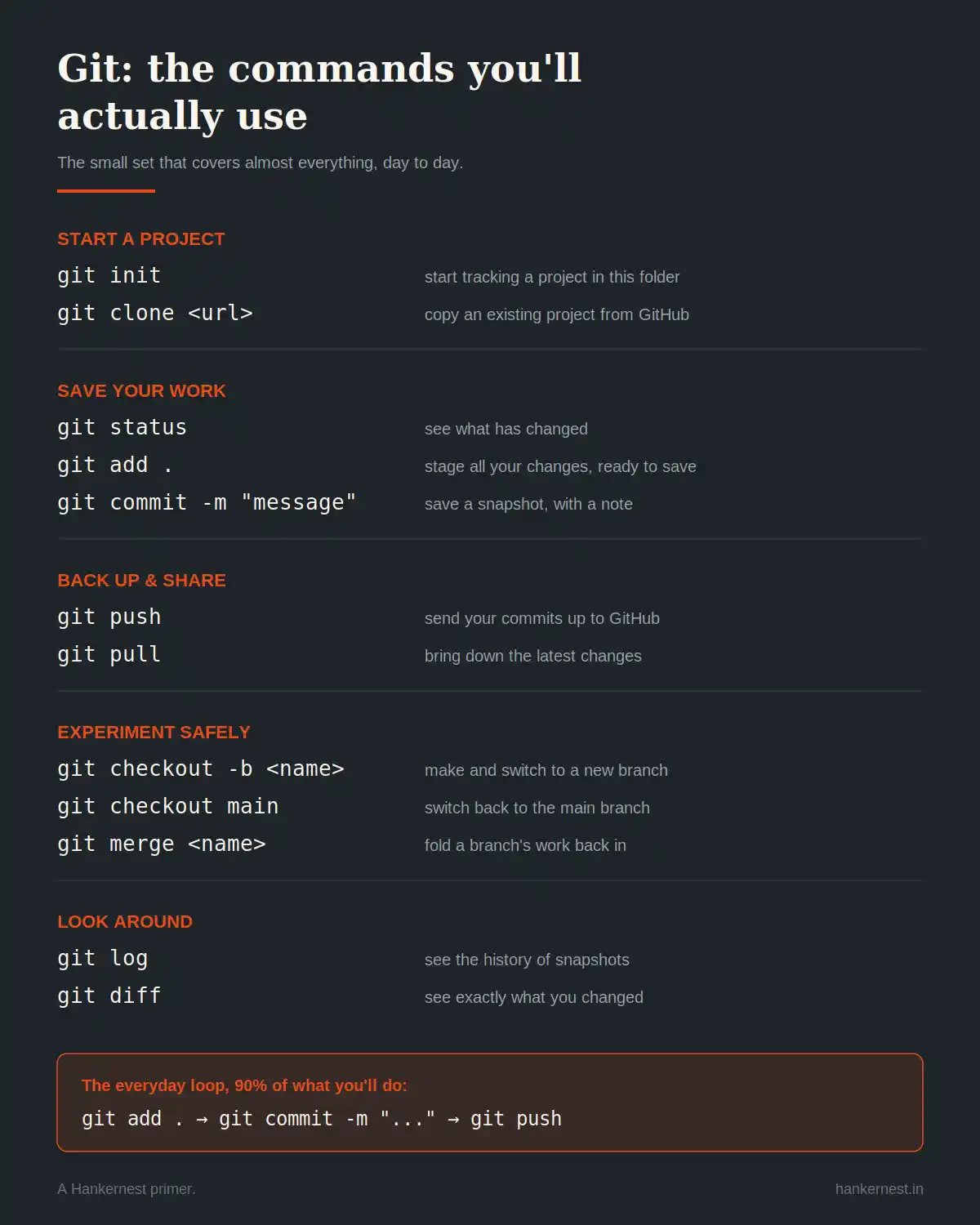
You do not need to learn all of Git to get most of its value. A surprisingly small set of commands covers almost everything you will do day to day. Save the cheat sheet below, run through the commands once on a throwaay project, and you will have crossed the line from “Git intimidates me” to “Git has my back.”
The one thing to remember
Git is not really about commands. It is about working without fear. Fear of losing your work, fear of breaking what works, fear of trying something bold, fear of stepping on a teammate’s toes. Git removes all of it.
Learn it not because tutorials tell you to, but because it quietly turns your work into something safe, recoverable, and shareable. Once you have worked with that safety net, you will never want to work without it again.